How to calculate Length of Service?
To calculate the length of service in Excel, you need to determine the number of days, months, or years between two dates. Here’s how to do it:
Excel Skills Simplified: Tutorials That Actually Work
To calculate the length of service in Excel, you need to determine the number of days, months, or years between two dates. Here’s how to do it:

The understanding of the usefulness of the XIRR function in Excel varies for different reasons. There are some that would find it useful for one thing, while it might be useful for other things. It is practically useful for anything that has to do with calculating your returns.
When it comes to investing money, there are actually differences in time value. When depositing and withdrawing money and then receiving dividends, it becomes much more difficult to make the calculation of the annualized returns.
This is because there is certainly a difference between making an investment of $1,000 in January and investing the same amount in December, right before the year ends. This makes the XIRR feature of Microsoft Excel something that simplifies the calculation.

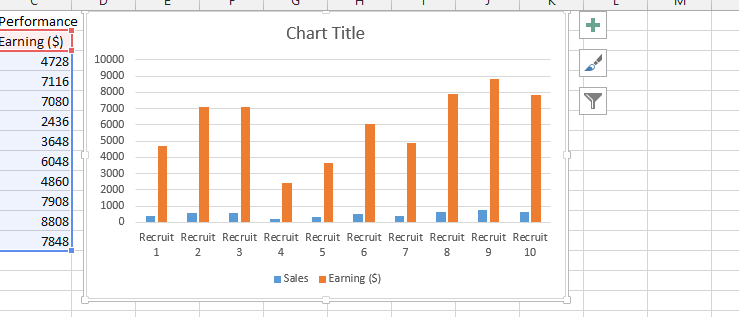
Overlay graphs are a powerful tool for data visualization. They allow you to compare multiple data series on the same graph, which can help you to identify trends and patterns that would be difficult to see if the data was presented in separate graphs.
In this Excel tutorial, you learn how to overlay graphs in Excel. We will also discuss the benefits of using overlay graphs and some tips for creating effective overlay graphs.

Kite charts are unique graphs that display changes in species abundance or data distribution along a measured line often used in ecological studies and field surveys.
Unlike standard charts, a kite chart reveals how values rise or fall at specific locations, making it easy to visualize patterns across a habitat or transect.
In this step-by-step tutorial, you’ll learn exactly how to create a kite chart in Excel, so you can effectively present and analyze your survey or environmental data.

Inserting multiple drop-down lists that are somehow linked together in Excel is very simple. It is about having the understanding of what is linking these lists together. We are going to create the lists together and further insert the drop-down list.

Learn how to make a flow chart in Excel to organize and visualize your business processes, workflows, and decision trees in a clear and professional manner. Creating a flowchart in Excel is easier than you might think and provides an excellent way to document and improve your workflow efficiency.

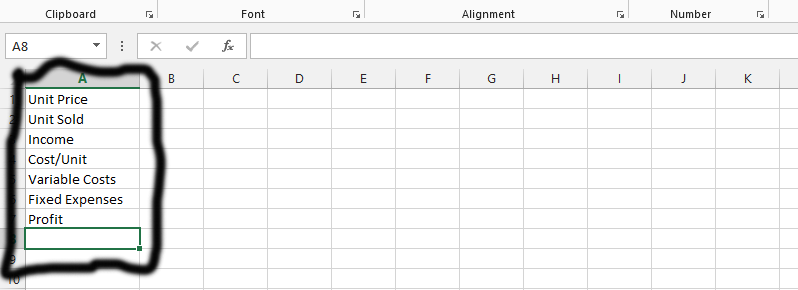
Calculating the break even point in Excel helps you understand your business profitability better. A break even point analysis lets you know when expenses equal profits. It shows you whether your goals are achievable. This analysis helps you make profitable business decisions and develop effective strategies.
Using break even analysis Excel templates helps your business grow and understand profitability thresholds. I’ll show you how to perform this analysis in Microsoft Excel. Follow the steps below to complete your break even calculation.

An age population pyramid chart in Excel visualizes how many people exist at specific ages and their gender distribution. This pyramid chart in Excel shows males and females separately. Creating this pyramid chart in Excel is straightforward. Follow this simple step-by-step guide to build your age population chart.

Creating a polar chart in Excel can be a great way to visualize cyclical data, like percentages over time. In this comprehensive Excel tutorial on polar chart creation, you will learn step-by-step how to make and design a polar chart.

The panel chart is a set of similar charts that have been aligned neatly in the panel. The chart also has other names like trellis displays or small multiples. Its goal is to help the audience to understand some data that contains different variables.
It makes it a lot easier to structure segment of the document that the author is explaining to the audience.