How to Create a Gantt Chart in Excel
In this lesson, you will learn how to create a Gantt chart.

Excel Skills Simplified: Tutorials That Actually Work

In this lesson, you will learn how to create a Gantt chart.
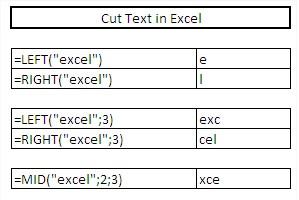
In this tutorial, I will describe the functions used to cut pieces of text – LEFT, RIGHT and MID. Master text extraction techniques to clean, split, and transform strings efficiently.
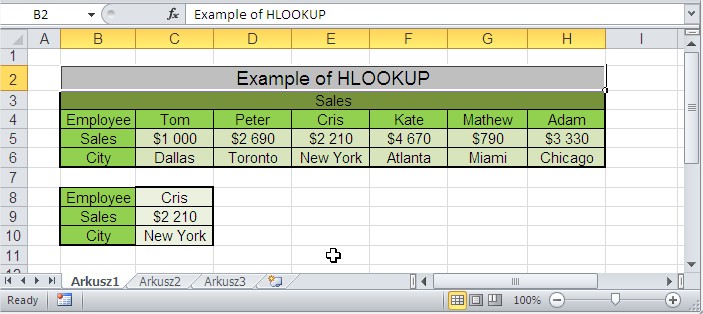
HLOOKUP function is responsible for horizontal data retrieval. This function is particularly useful when working with data organized horizontally across columns. You can learn how to use a HLOOKUP function in Excel.
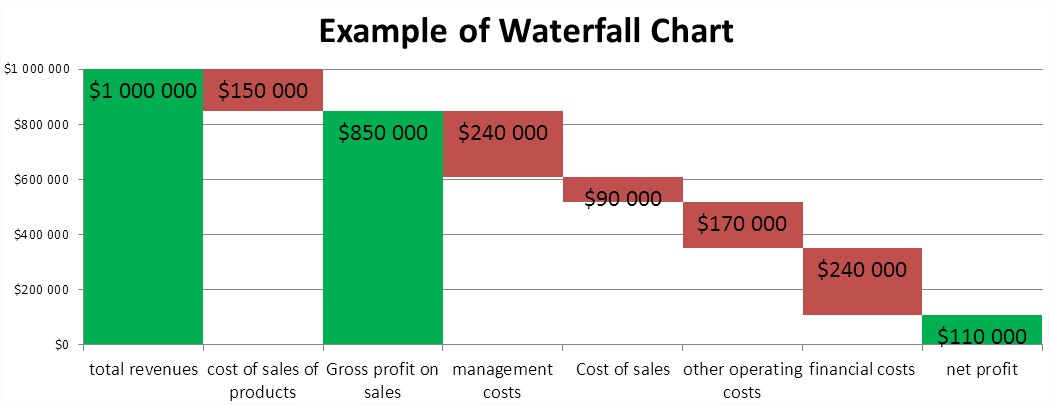
In this tutorial, you’ll learn how to create a waterfall chart in Excel step-by-step.
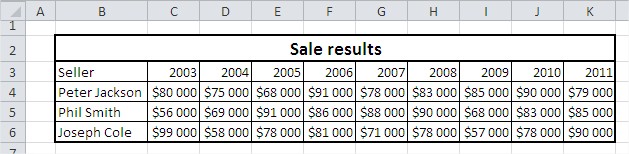
In this lesson, you can learn how to plot line chart in Excel.
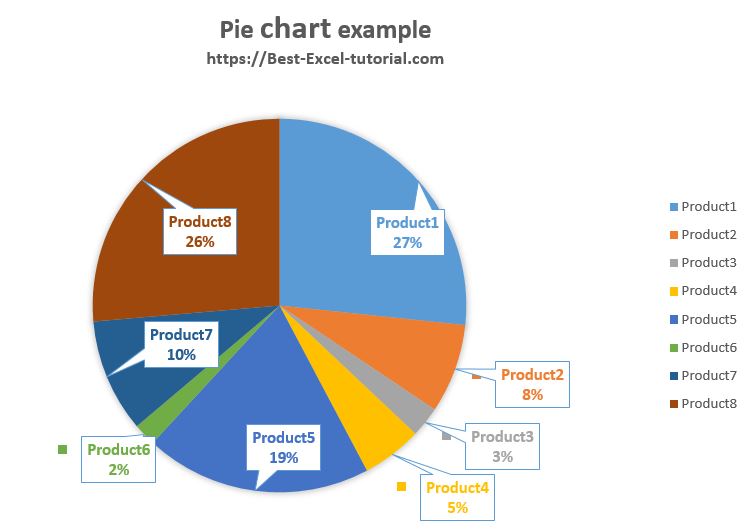
In this lesson, you can learn how to insert pie chart in Excel.
A pie chart is often used at home, office and business. Its popularity comes mainly from the transparency of the presented data. A pie chart is best suited to show the data as part of a whole.
For example data about sales you can create pie chart like this:
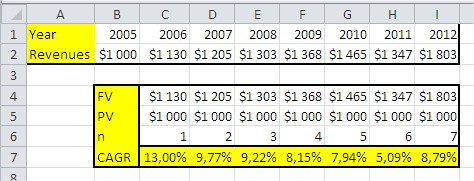
In this lesson, you will learn how to calculate CAGR in Excel.
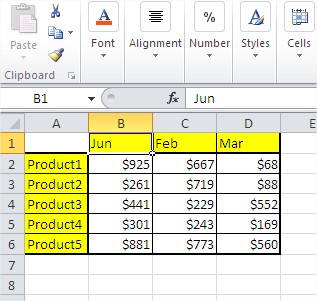
In Microsoft Excel, you can update values without using a formula by manually entering new values into a cell. I’ll show you how to update values in cells without using a formula.
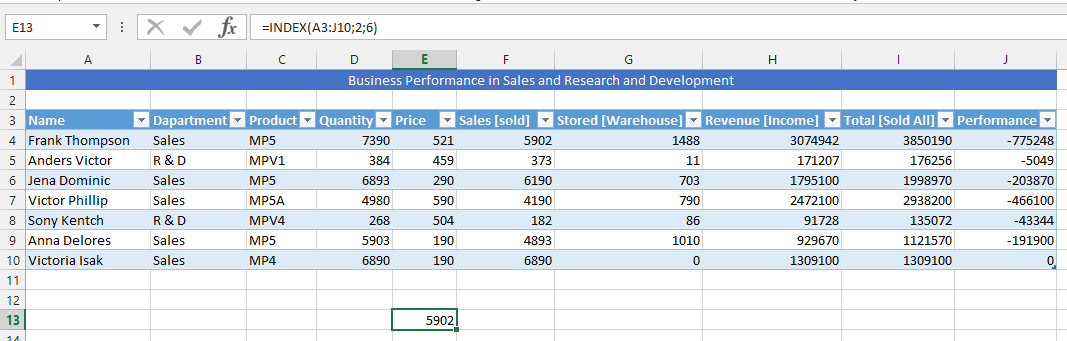
An index is a function in the Microsoft Excel with two different forms of syntax: reference and array. When using it in the array form, then it will be returning with either a value or array of different values. Array form is useful when first argument is constant to array.

In this Excel tutorial, you will learn how to use the forecast function and how to… predict the future. The forecast function predicts a future y-value based on existing x and y values using linear regression. This statistical method finds the best-fit straight line through the known data points, allowing Excel to estimate the y-value corresponding to a given x-value.
This function is useful for predicting future sales, along with requirements for inventory, or even customer trends.